

Skip to content

WoW Forever profiles

Build your Forever interface.

Install the complete xScarlifeUI WoW Forever stack with the in-game installer, or use the library below when you want to copy individual profiles manually.

Forever-ready profilesPersonal use only
xScarlifeUI Profile on a Demon Hunter
World of Warcraft: ForeverComplete xScarlifeUI profile set
06 profiles
06 profilesComplete Forever set
One-click copyFive profile strings
One Wago profileOriginal author credited
Personal useNo redistribution

Profile library

Choose your game version

Each client keeps its own profile set, so you always copy the strings built for the version you play.

9 profiles · current

9 legacy profiles

6 profiles

6 profiles

6 profiles

Recommended

Install the complete profile automatically

The xScarlifeUI AddOn includes a custom in-game installer that can apply the ElvUI foundation and supported AddOn profiles for you. Use the manual cards below only when you want to import individual profiles.

You stay in control. Choose what gets applied and skip the parts you already configured.

Manual installation

Import the foundation first.

Start with both ElvUI profiles, then add the supporting tools. This keeps the layout and character settings aligned.

Back up your WTF folder first. Importing profiles can replace existing layouts and AddOn settings.
01
Import Main ElvUI

Apply the shared layout, positioning and core styling.

02
Import ElvUI Private

Load the character-specific settings in the second profile box.

03
Add supporting profiles

Continue with Details, BigWigs, Jundies Platynator and Blizzard Edit Mode.

Copy and import

WoW Forever profile library

Profiles updated 18 Oct 2026

Core interface

The two ElvUI profiles establish the shared layout and character-specific settings for WoW Forever.

01

Main ElvUI

Where to importElvUI → Profiles → Import Profile (first box)

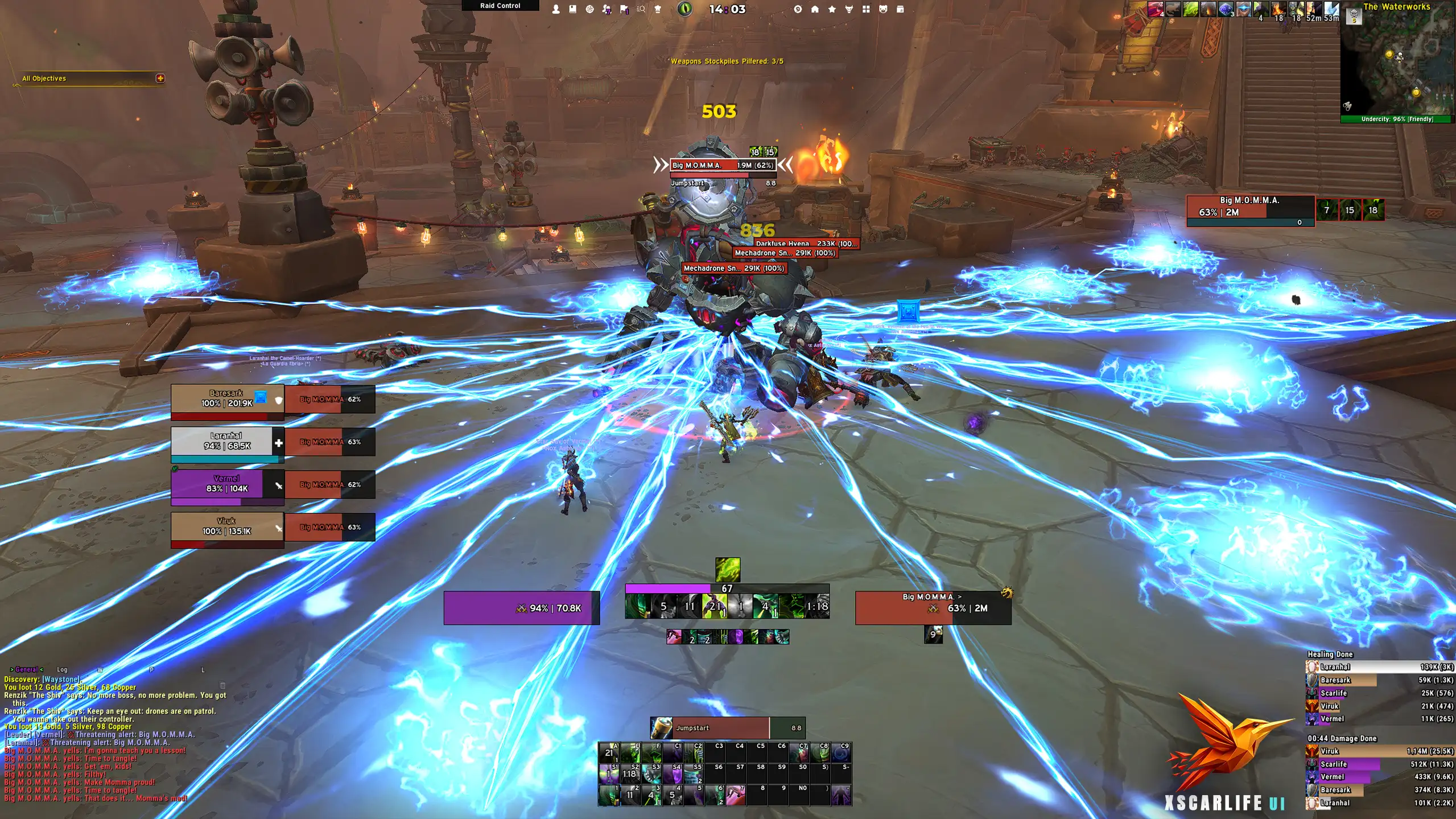
The main xScarlifeUI profile for WoW Forever, containing the complete ElvUI layout, positioning and core styling.

02

ElvUI Private

Where to importElvUI → Profiles → Import Profile (second box)

Character-specific settings for WoW Forever, including unitframes, actionbars and other personal UI options.

Combat and readability

Damage meters and boss timers keep encounter information clear while matching the xScarlifeUI visual style.

03

Details Damage Meter

Where to importDetails → Options → Profiles

Details profile with layout and styling designed to match the xScarlifeUI look and feel in WoW Forever.

04

BigWigs

Where to importBigWigs → Profiles → Import

BigWigs profile with clean positioning and styling for boss timers and alerts in WoW Forever.

05

Jundies Platynator

Where to importPlatynator → General → Import

The Platynator profile used with xScarlifeUI. This profile is created by Jundies and opens on its original Wago page.

Blizzard layer

Blizzard Edit Mode completes the parts of the Forever layout that sit outside the ElvUI profile.

06

Blizzard Edit Mode

Where to importESC → Edit Mode → dropdown → Import, then select “xScarlife” as your layout

Layout and positioning profile for Blizzard Edit Mode, aligned with the xScarlifeUI layout for WoW Forever.

Need help with your WoW Forever setup?

Follow the installation guide or join Discord when an import path or profile does not behave as expected.